

SOLIDWORKS 2026 Sheet Metal Enhancements
SOLIDWORKS 2026 is the latest release and it comes along with the great 30 Inspirational years of SOLIDWORKS as well. In this blog, we are going to see the latest enhancements and performance updates in Sheet Metal and Structure Systems. These two are critical workbenches used by various companies to model their real world manufacturing constraints other than the standard solid modelling. Sheet Metal holds various features that support with automated flat pattern generation and bend calculation, while Structure Systems support with automated corner trimming and creation of structural members from minimal input geometry.

1. Sheet Metal – Input conditions for Base Flange:
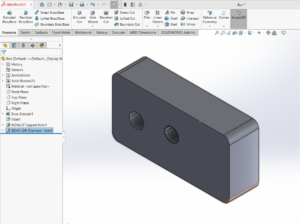
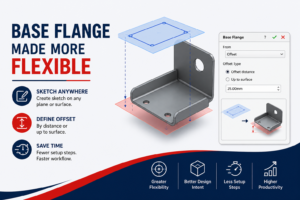
In general, while defining base flange with previous releases of SOLIDWORKS, we can be able to start the base flange with only sketch plane. However, in SOLIDWORKS 2026, we can now offset them from sketch plan or use any reference such as surface, face, plane or vertex as well.

2. Sheet Metal – Feature Improvement – Break Corner:
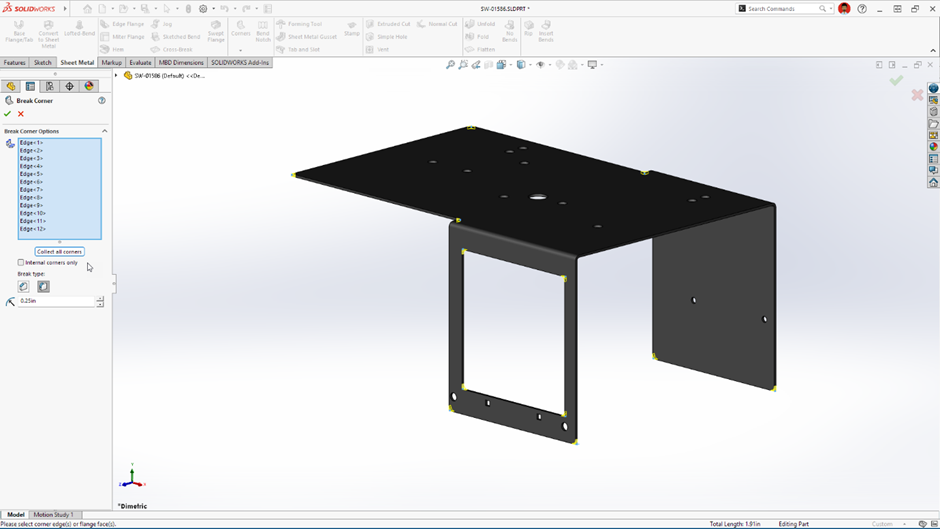
While working with the break corner feature in SOLIDWORKS Sheet Metal workbench, we are required to select the internal corners in addition to the external ones (if required). With SOLIDWORKS 2026, we can be able to easily apply the condition to the internal corners with a single checkbox.
3. Structure Systems – Corner Treatment:
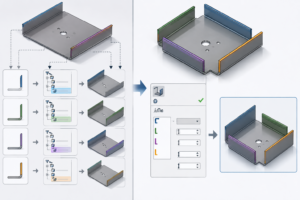
Working with Structure Systems provides advantage to the users in SOLIDWORKS workbench to create structural frameworks using standard or custom profiles based on sketches, points and planes with advanced corner trimming selections. SOLIDWORKS 2026 brings the new graphical user interface option to preview the corner treatments and proceed with confidence.

4. Structure Systems – Cut List Properties:
We would be often requiring the cut list properties or information from the model to be available in BOM or any other downstream ERP/PLM systems. In SOLIDWORKS 2026, we are provided with the capability to directly reference these cut-list properties in top-level multibody custom properties, which was not available in previous releases. We have the dropdown option to link the custom property to a cut-list property.

We are sure that these enhancements will be useful for the users in the day-to-day life. If you wish to know more about the other enhancements in SOLIDWORKS blogs.
Also Read:
What’s New in SOLIDWORKS 2025 – Sheet Metal
What’s New in SOLIDWORKS 2024 – Sheet Metal
Author Details:

Ramesh Aravind is a Customer Success Associate based out of Chennai, Tamil Nadu. He has completed Master’s in Engineering with specialization in Industrial Metallurgy. He had joined Conceptia Konnect team in August, 2022 and has a good experience in SOLIDWORKS, Simulation & 3DEXPERIENCE Works solutions.