

In SOLIDWORKS 2024, the Edge Flange feature allows users to select and create a flange on only one edge at a time. When multiple edges require flanges, the Edge Flange command must be repeated for individual edge. This repetitive process increases modelling time and requires additional feature management within the Feature Manager Design Tree. That’s where Multi Length Edge Flange Feature for Faster Sheet Metal Design in SOLIDWORKS came into picture.
Figure 1 illustrates the Edge Flange Property Manager in SOLIDWORKS 2024, where the Multi Length Edge Flange functionality is not available. As a result, users are limited to selecting a single edge for flange creation, requiring separate Edge Flange features for additional edges.
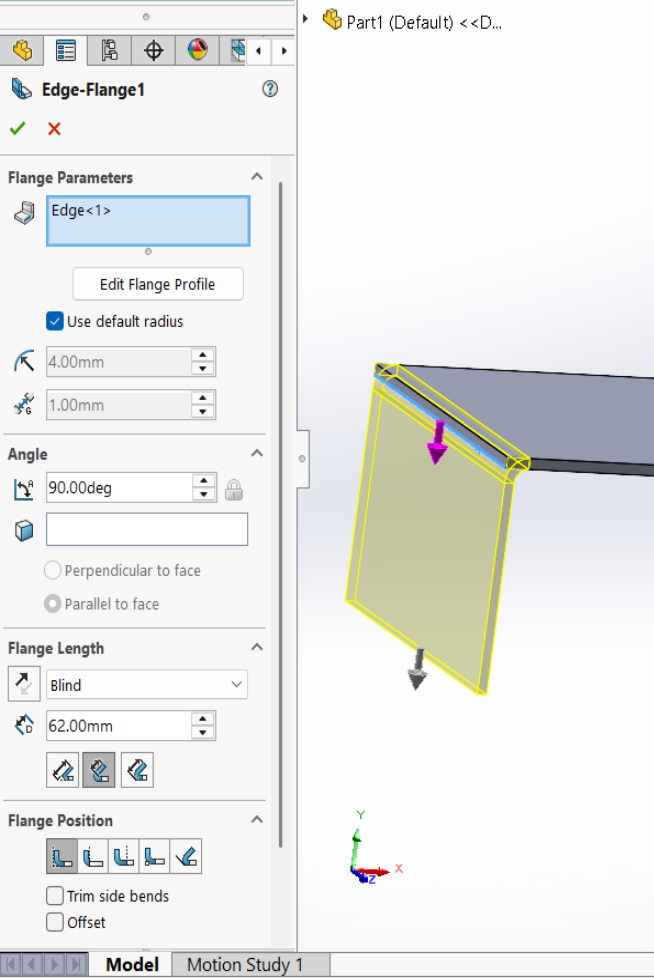
In reference to the above image, only one edge is selected for flange creation because the Multi Length Flange option is unavailable. Consequently, users must repeat the Edge Flange command for each additional edge, resulting in a more time-consuming workflow.
SOLIDWORKS 2025 Enhancement – Edge Flange Feature
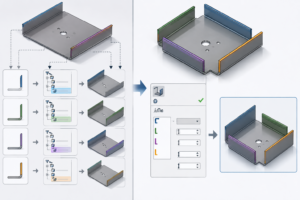
With the introduction of the Multi Length Edge Flange enhancement in SOLIDWORKS 2025, users can select multiple edges within a single Edge Flange feature and define different flange lengths as needed. This improvement reduces the number of features required, streamlines the sheet metal design workflow, and significantly improves productivity.
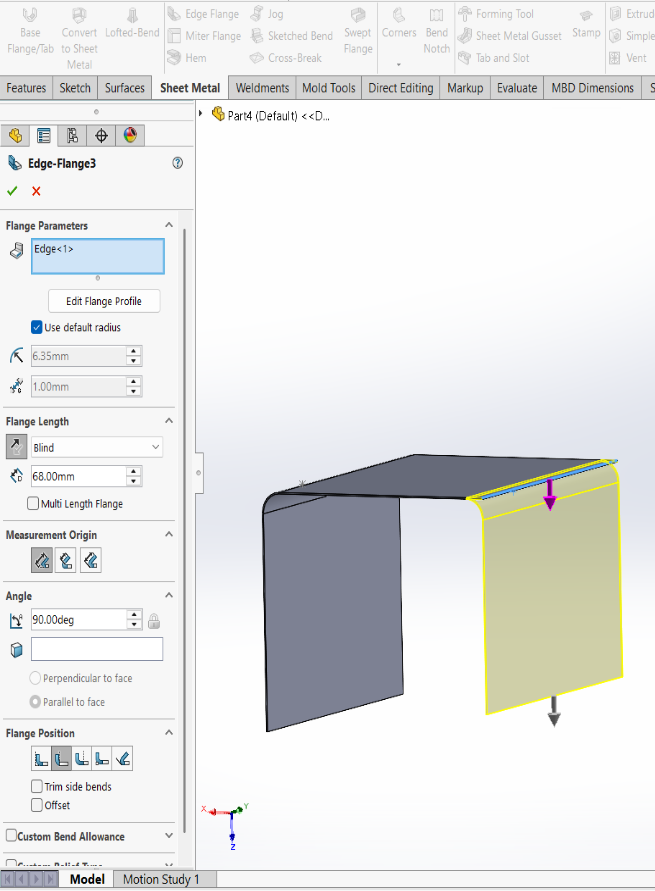
Figure 2 illustrates the Edge Flange Property Manager with the Multi Length Flange option available but not selected. In this state, the Edge Flange feature allows the selection of only a single edge for flange creation, as indicated by the selection of Edge<1>. The flange length is applied exclusively to the selected edge, requiring additional Edge Flange features to be created for other edges. This traditional workflow increases the number of modeling steps when multiple edge flanges are required.
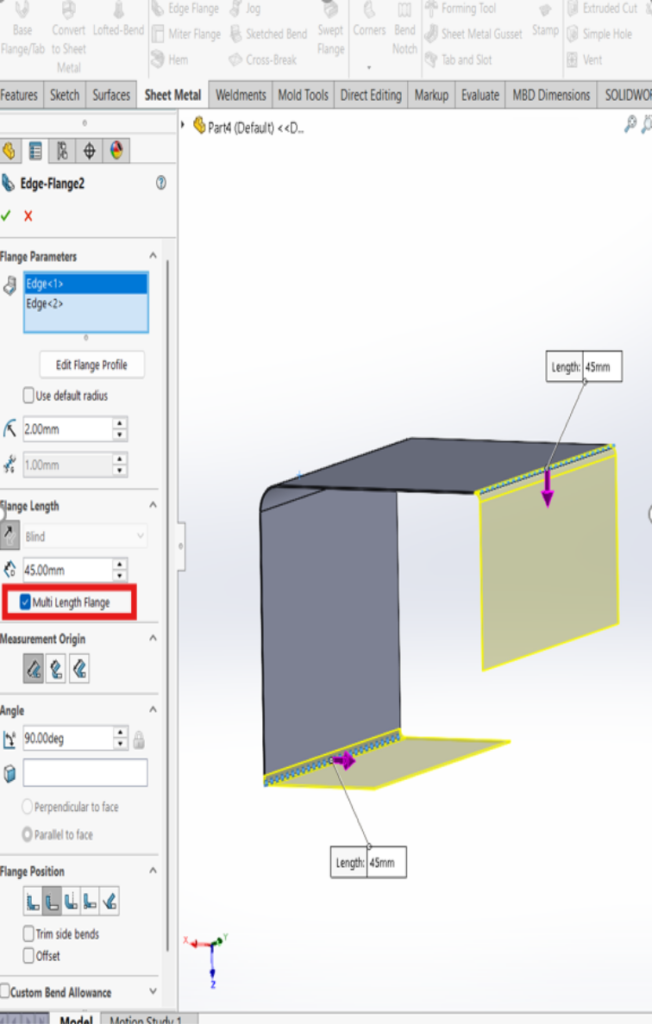
(Figure 3) Shows or Indicates clearly that Multi Length Flange box got checked in this option will be selecting the two edges of the flanges whereas you can set the Length of the flange at a time and that will reflect to the two edges, where you can see in the below image.
Conclusion:
The Multi Length Edge Flange enhancement in SOLIDWORKS streamlines the sheet metal design process by allowing multiple edges to be selected and assigned individual flange lengths within a single Edge Flange feature. Previously, designers had to create separate flange features for each edge, increasing modeling time and feature tree complexity. With this enhancement, users can efficiently manage multiple flanges in one operation, reducing repetitive tasks, simplifying model updates, and improving overall productivity. This results in a faster and more flexible sheet metal design workflow, especially for parts containing multiple flange edges with varying lengths.

Mohammed Majid is a Certified SOLIDWORKS Professional and Customer Success Associate based in Bengaluru, Karnataka. Since joining the Conceptia Konnect team in April 2025,and has good experience in SOLIDWORKS and 3DEXPERIENCE PLM solutions.