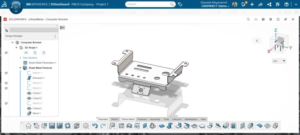


Sheet metal engineering has traditionally relied on heavy desktop CAD installations and rigid assembly structures that slow down early-stage design iterations. SOLIDWORKS 3D SheetMetal Creator shifts this paradigm by delivering a cloud-native, browser-based 3D CAD application on the SOLIDWORKS platform, purpose-built for modelling manufacturable sheet metal components, enclosures, and assemblies from any web-connected device.
By operating entirely within a web browser, the app eliminates local software installations, manual update cycles, and high up-front hardware requirements.
Purpose-Built Tools and a Clutter-Free Environment
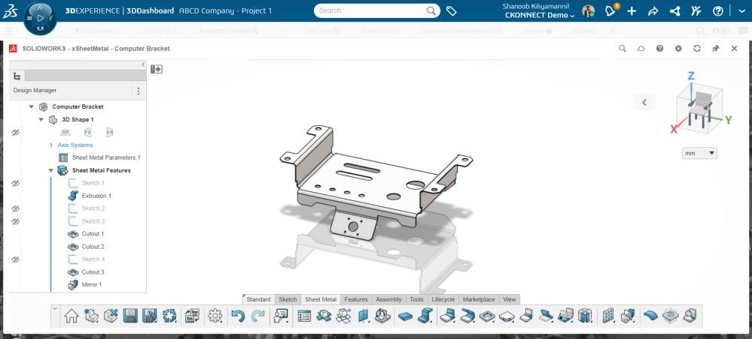
Unlike conventional CAD packages that load the user interface with irrelevant modelling tools, 3D SheetMetal Creator focuses exclusively on specialized sheet metal processes. Context-sensitive menus and predictive toolbars present tools directly at the cursor, keeping the workspace clean and efficient.
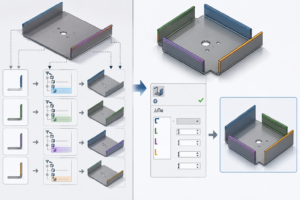
- Tailored Feature Set: Designers can quickly generate walls, flanges, hems, bends, corner reliefs, punches, and forms using dedicated sheet metal parameters.
- Sketch Profile Flanges: Engineers gain precise control over flange height, bend angle, limiting geometry, and clearance, including the unique capability to create flanges directly from a sketch profile.
- Streamlined Jog Bends: The app introduced a dedicated Jog command, allowing users to rapidly create sheet metal jog bends without manually configuring multiple flat features and individual bends.
Flexible Modelling with the Single Modelling Environment
Traditional CAD setups force designers to decide upfront how an assembly and its underlying sub-components will be structured. 3D SheetMetal Creator removes this barrier through its Single Modelling Environment.
Engineers can fluently convert features into components and components into full enclosure assemblies on the fly, avoiding time-consuming assembly structure planning. This design freedom allows teams to focus on rapid concept exploration rather than administrative file management.
AI-Powered Design Assistance and Real-Time Manufacturability
To help speed up routine tasks, 3D SheetMetal Creator incorporates a built-in Design Assistant driven by a machine learning engine.
- Predictive Workflows: The assistant predicting your next modelling step, offering workflow optimizations, and automating repetitive geometry creation.
- Synchronous Flat Patterns: For press brake manufacturing, the app automatically generates one-touch 2D flat patterns that remain synchronously updated with the 3D folded geometry.
- Design Verification: Engineers can evaluate flat patterns in real time to identify interferences or bend issues early, preventing costly mistakes on the shop floor.
Multi-CAD Integration and Cloud Collaboration
Sheet metal enclosures rarely exist in isolation; they must fit around internal electronics, structural frames, or mechanical hardware. 3D SheetMetal Creator seamlessly bridges external design data into one environment.
- Multi-CAD Import: Bring in 3D data from desktop SOLIDWORKS, CATIA, Solid Edge, Inventor, as well as neutral file formats like STEP and IGES.
- Assembly Mating: Drag and drop non-sheet metal components into the project and position them using familiar assembly mating controls.
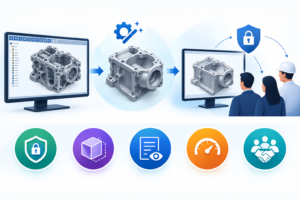
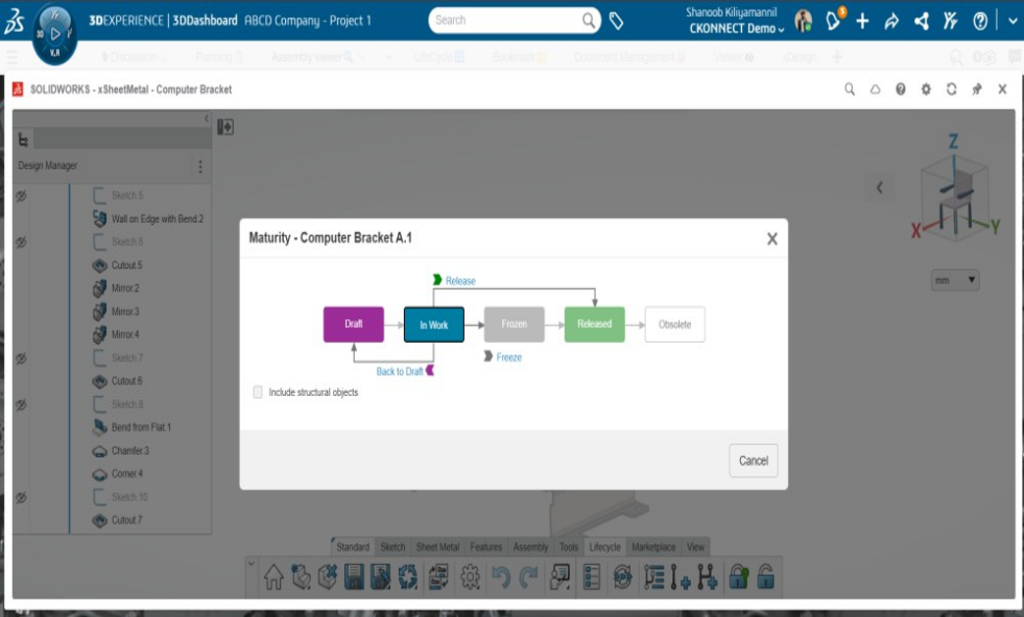
- Centralized Lifecycle Management: Stored securely on the SOLIDWORKS cloud platform, design files benefit from automated version control, revision tracking, and branching capabilities.
- Manufacturing Handoff: Teams can review and markup 3D models collaboratively in the browser and export industry-standard DXF files directly for fabrication.
Key Takeaways
SOLIDWORKS 3D SheetMetal Creator combines browser-based mobility, AI-assisted parametric modelling, and synchronous 2D manufacturability checks into a single, focused workspace. Whether designing standalone bracketry or complex multi-component electrical cabinets, engineering teams gain a flexible, collaborative tool designed specifically for the realities of modern sheet metal fabrication.
Key Operational Takeaways for Engineering Teams:
- Zero Client Overhead: Pure web browser operation eliminates local client software installation and maintenance.
- Predictive Productivity: AI machine learning assistant reduces routine geometric selection steps.
- Manufacturability Guaranteed: Automatic, synchronized 2D flat patterns prevent shop floor re-spins.
- Universal Data Access: Native support for STEP, IGES, SOLIDWORKS, CATIA, and other CAD formats.
Beyond Sheetmetal Modelling
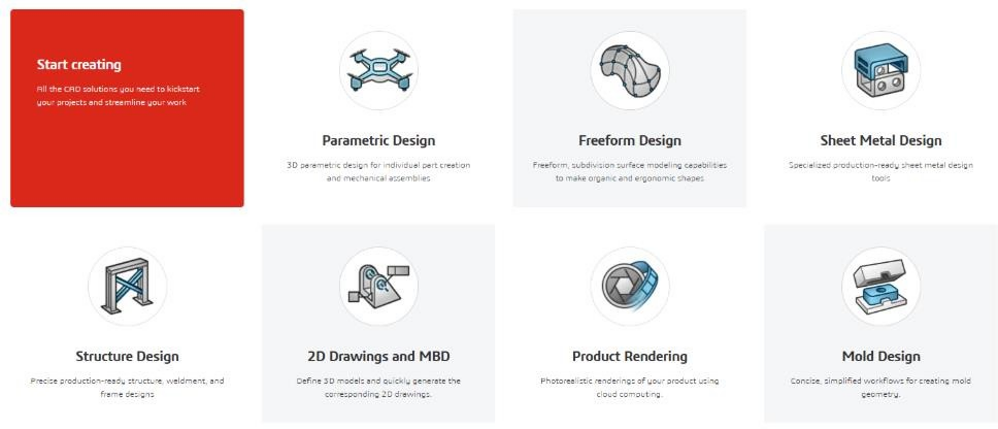
While 3D SheetMetal Creator delivers purpose-built tools for rapid enclosure design, AI-assisted geometry creation, and synchronous 2D flat pattern validation it operates as part of a fully integrated cloud portfolio. Engineers can effortlessly switch to 3D Creator for general parametric design, 3D Sculptor for freeform surfaces, or 3D Render for marketing visuals. For production handoff, 3D SheetMetal Creator generates instant DXF cut files while connecting to xDrawing for full model-based definition (MBD) and 2D documentation.
SOLIDWORKS 3D SheetMetal Creator provides a flexible and efficient way to design sheet metal components, enclosures and assemblies using a browser-based CAD environment. With dedicated sheet metal tools, AI-powered design assistance, automatic flat pattern generation and cloud collaboration, it helps engineering teams simplify their design workflows and manage design changes more effectively.
Whether you are designing electrical enclosures, industrial equipment or sheet metal components, 3D SheetMetal Creator offers the tools to support your design requirements.
Looking to explore SOLIDWORKS 3D SheetMetal Creator?
Ready to see how it fits into your workflow? We can help you to schedule a personalized demo with a SOLIDWORKS xDesign specialist.