

With every release of SOLIDWORKS, there are improvements to the Sheet Metal design and SOLIDWORKS 2026 has a very useful update to the Base Flange feature, allowing more flexibility and saving time when preparing sketches.
What Was the Limitation Earlier in the Base Flange Feature in SOLIDWORKS?
The Base Flange feature could only be created directly on the selected plane or surface in earlier versions of SOLIDWORKS. This meant that the Base Flange had to be drawn precisely where it was needed.
This created additional steps for many sheet metal users, especially when they were working on complex assemblies or reference geometry:-
- Creating extra planes
- Repositioning sketches
- Changing the reference geometry
- Rebuilding features more than once
This process consumed unnecessary design time.
What’s New in SOLIDWORKS 2026? – Base Flange
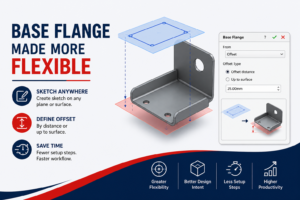
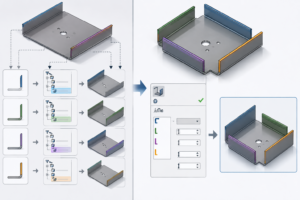
With SOLIDWORKS 2026, the Base Flange command is now more flexible.
You can now:
- Create a sketch on any plane or surface
- Define the offset using:
- A specific distance
- Up to a selected surface
These new options simplify design work and enable more powerful design intent.
Open the SOLIDWORKS assembly or part file and select the sketch required for the Base Flange feature.
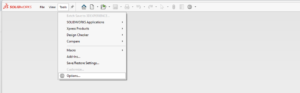
- Go to Sheet Metal > Base Flange/Tab. Select the From option.
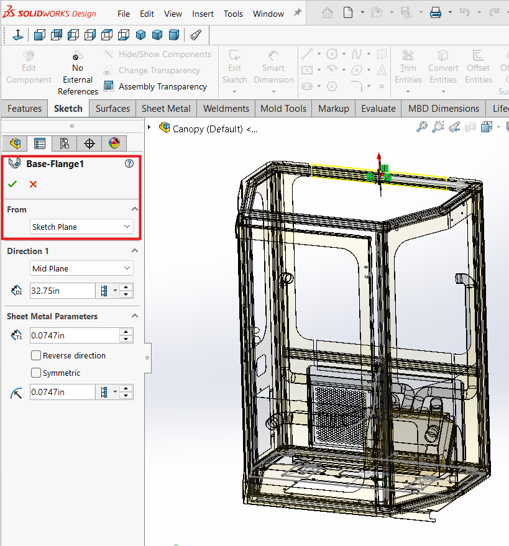
- In the Base Flange, select the from option. And select the required the reference type.
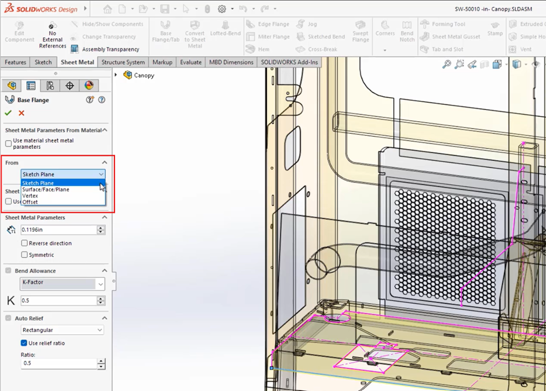
- Click OK to create the Base Flange. The sheet metal feature will be generated at the specified offset location instead of directly on the sketch plane.
- This enhancement in SOLIDWORKS 2026 provides greater flexibility in sheet metal design, reduces the need for additional reference planes, and increases modeling productivity.
For sheet metal designers, the new Base Flange enhancement in SOLIDWORKS 2026 is a small but significant improvement. These new Base Flange feature options allow for improved design intent in master-model and multibody parts while reducing setup steps even for basic sheet metal designs. SOLIDWORKS makes the sheet metal workflow smarter, faster, and more flexible by enabling offset-based Base Flange creation from any sketch, plane, or surface.
Author Details:

Abhishek R S is a Certified SOLIDWORKS Expert (CSWE) and works as a Senior Associate – Customer Success at Conceptia Konnect in Bengaluru, Karnataka. Since joining the organization in December 2022, he has developed strong expertise in SOLIDWORKS and the 3DEXPERIENCE PLM platform, helping customers successfully adopt and maximize the value of these engineering solutions.