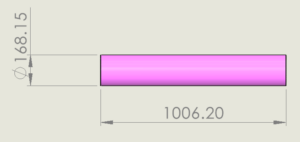


Covering is a process of wrapping cylindrical elements around pipes, tubes and electrical wiring. This gives a protective surface and insulation layers. SOLIDWORKS 2026 gets a major update, bringing effective enhancements which enables improved covering for Pipe & Tube. With the capabilities in SOLIDWORKS Premium users can create an improved covering system, which helps to design protective layers. SOLIDWORKS 2026 gives the ability to save the covering configuration as a favorite.
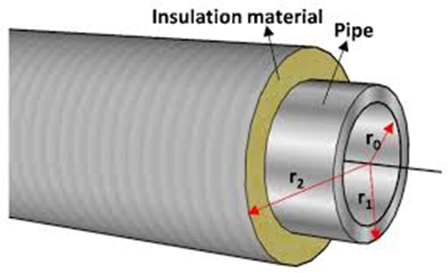
1. Creating Covering for Pipes and Tubes
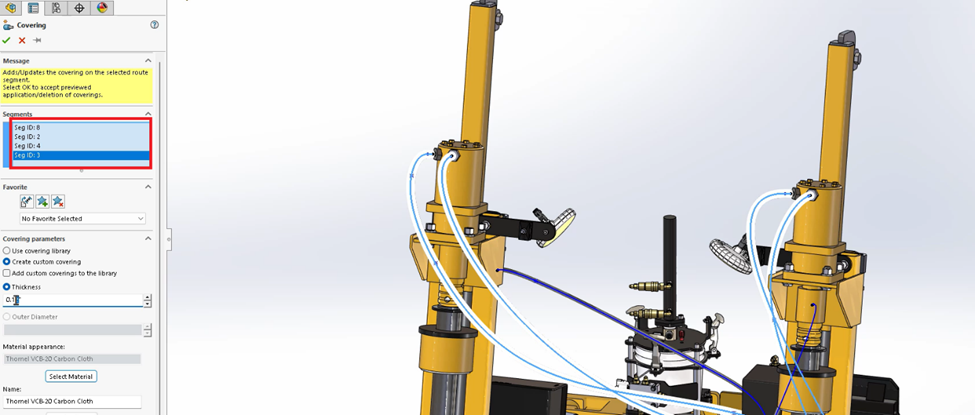
- Choose any Pipe/Tube in an assembly
- Right Click on graphics area > Add Edit Covering > Covering
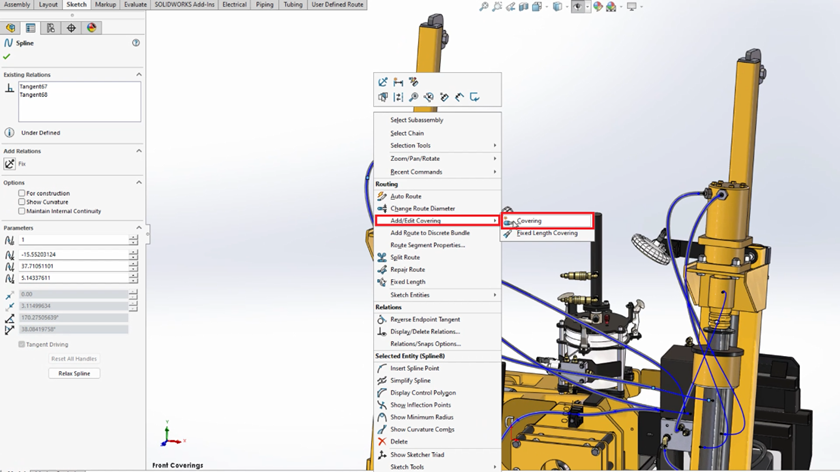
- Select the route segment which requires covering
- Add thickness for the covering
2. Adding Material for Covering
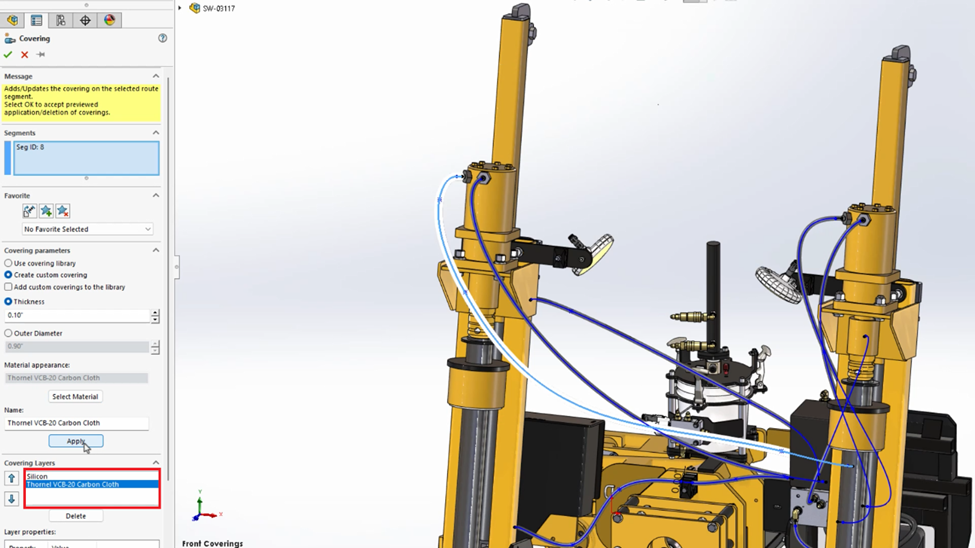
The new workflows enable users to add realistic multi-layers for hoses and tubes, which relate to match manufacturing standards.
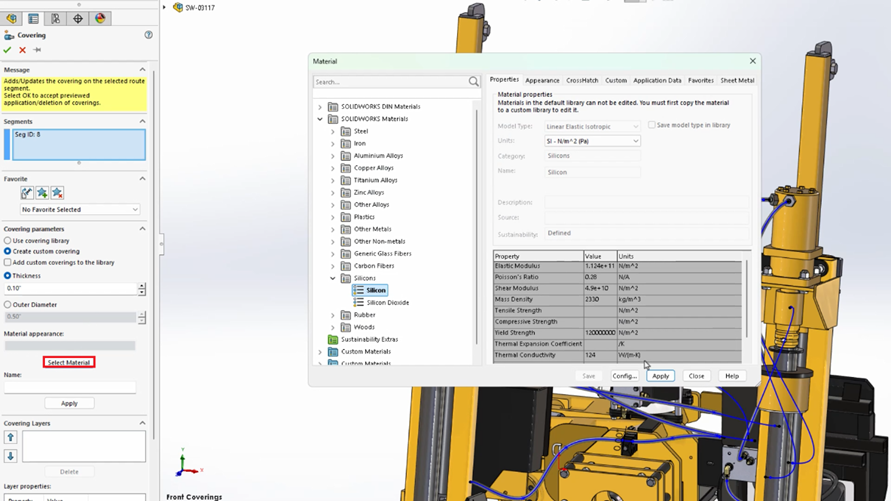
- In the covering feature click on Select Material Option,
- Pick a material from SOLIDWORKS Materials Library,
- Choose the required material for the covering from materials list,
- Add additional layers,
- Reorder or move layers as needed.
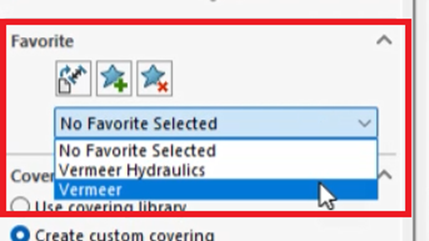
3. Save Covering as Favorites and Reuse when needed
- Save Covering – Creating a multilayer repeatedly is a time-consuming process. SOLIDWORKS 2026 has the smartest upgrade, which helps to save the covering configurations as favorites.
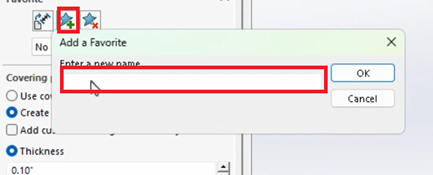
- Reuse of Fav Covering –
Conclusion:
In a routing design, attention to detail is what is needed for robust design. SOLIDWORKS 2026 elevates the efficient usage of coverings to the routing of Piping and Tubing. By enabling such useful enhancement, designers can quickly build, customize, and reuse the complex layers. SOLIDWORKS 2026 strengthens the design integrity and speeds up the workflow.