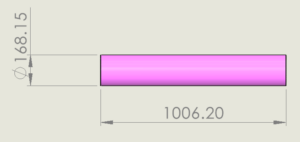


In earlier versions of SOLIDWORKS, if you want to import the drawing views as blocks, you need to do it manually. With the latest enhancement in SOLIDWORKS (2024 FD02), you can automatically import them as Blocks while saving them to DXF/DWG files.
If you are looking for a simplified method for making blocks for the 2D file format, go through the content below for the best possible way.
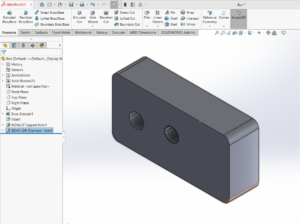
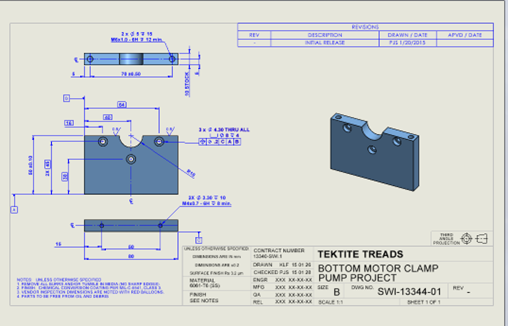
- Open the SOLIDWORKS drawing file and put the required views in the sheet
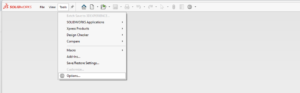
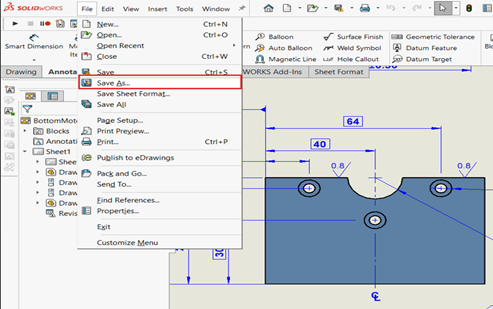
- Go to file, select “Save As, ” and select DWG file format.
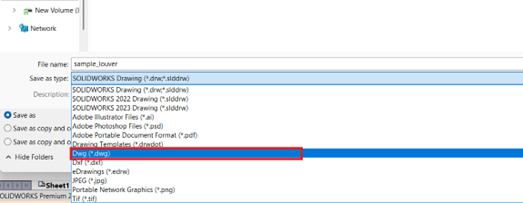
- Go to “Options”
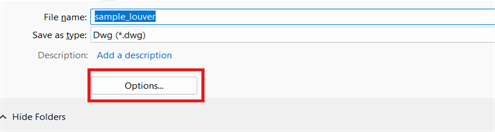
- Enable the “View export options >> Export Views as Blocks.”

- Now, the file can be opened in DRAFTSIGHT and any 2D software.
Note:
- If blocks are needed for a single view, only the particular view should be taken from the sheet.
- In case multiple views are taken in the single sheet, all the views will be considered as a single block at the time of importing as the blocks.
- Taking multiple views of the sheet will help get the block data in a single shot.
Conclusion:
In conclusion, while in previous versions of SOLIDWORKS, users had to generate blocks manually and export DXF/DWG for 2D editing, the new enhancements in SOLIDWORKS 2024 FD02 simplify this task by offering an automated export process for the Blocks. Users can now easily alter the export options to streamline the workflow, saving time and effort.
About Author:

Abhishek RS is a certified SOLIDWORKS expert working as a Customer Success Associate in Bengaluru, Karnataka. He has been associated with the Conceptia Konnect team since December 2022 and has good experience and expertise in SOLIDWORKS and 3DEXPERIENCE PLM solutions.