

One of the most common points of confusion for teams new to the 3DEXPERIENCE platform is the difference between 3DSpace and 3DDrive. Both live in the Cloud, both let you store and share files, and both show up in everyday conversations about “where does our data live?” But they serve very different purposes — and picking the wrong one for the job can undermine the data discipline that makes 3DEXPERIENCE valuable in the first place. Here’s how to explain the difference clearly.
What Is 3DSpace?
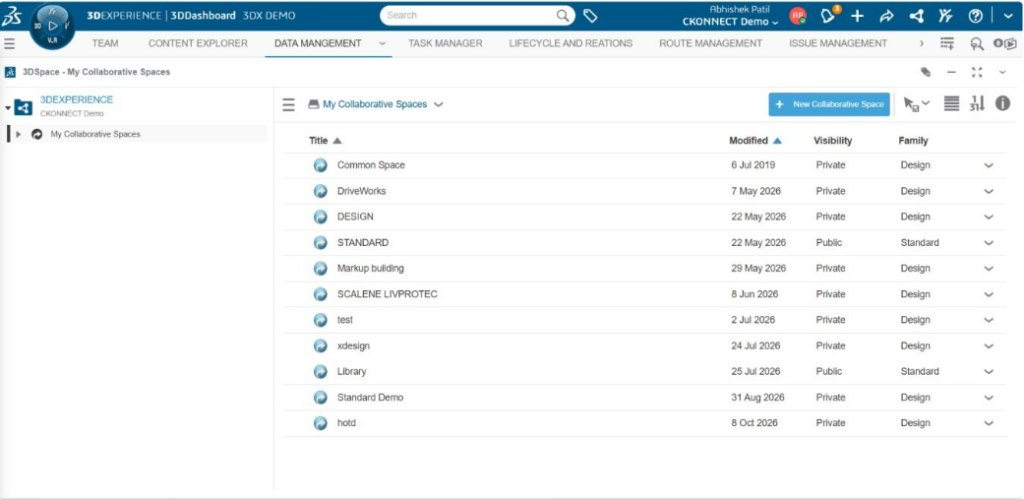
3DSpace serves as the structured product data management location on the 3DEXPERIENCE platform. Think of it more as a secure vault than just an everyday file system. 3DSpaces control what data can be seen and edited by users. Documents and bills of materials, along with CAD models, are organized here.
There are statuses for documents that tell everyone the work is either in-work or released and locked. This makes it so users will never be guessing if they are looking at a working version or a published one. The status and locking mechanisms also prevent users from making simultaneous edits.
Along with product lifecycle management, there is a built-in change order management system to 3DSpace. It provides clarity to teams about what changed, when, and who changed it. Approvals follow established work processes. Product data management for all departments is done via 3DSpace.
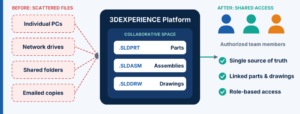
In comparison to regular drives, 3DSpace allows the files stored to have a level of intelligence about their relationships. Design models for products have the flexibility to connect to other project documents such as BOMs and specifications. In the case of an item change, members will be notified and can view the effects of the change on all associated project files. There is the option to grant design, manufacturing and supply members specific views of documents and project information based on their roles. 3DSpace connects to various design software, so rather than design work being dispersed through various personal folders and email, important project documents are centralized.
What Is 3DDrive?
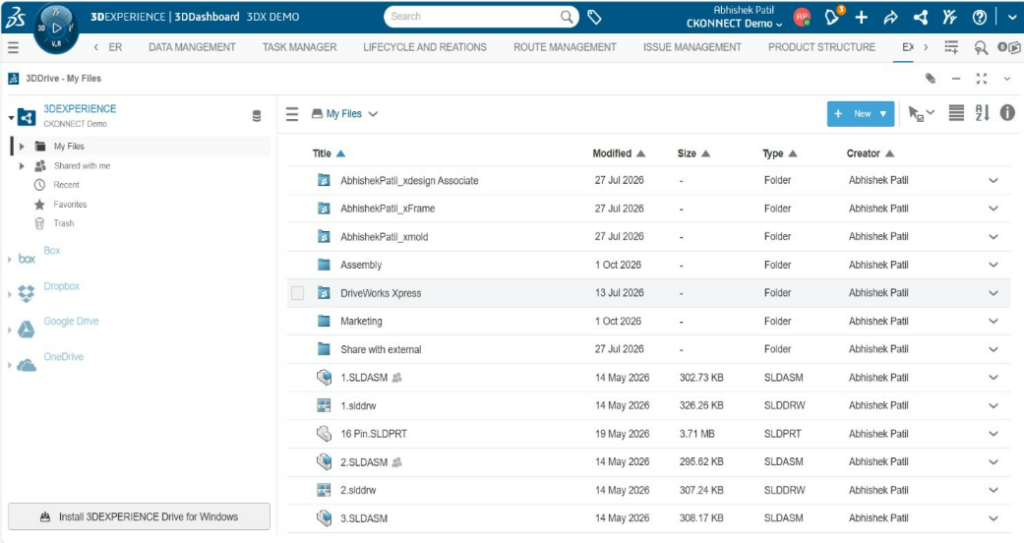
3DDrive acts a little more like a standard personal cloud drive (like OneDrive or Dropbox, etc) but stores all your files within the 3DEXPERIENCE ecosystem. Each licensed user generally gets an allocation of storage (typically 5GB), where you can upload, edit and share your files. Also, you have the option to manage files using the typical folder system. This, however, is not an automated file lifecycle management system.
The design of this system is meant for quick collaboration.
Most any type of file can be uploaded to 3DDrive (documents, presentations, CAD files, etc.) and placed in folders to be accessed later from a Web browser or mobile app. The creator of the file decides on a person-by-person basis if a file can be viewed or edited. 3DDrive should not be used as a source of truth for final product data, as it is better used for temporary or supporting files that may need to be sent out to people that aren’t on the design team
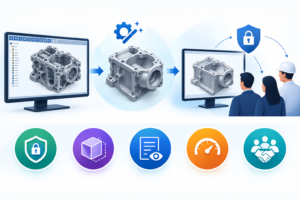
With 3DDrive, you don’t need CAD software to share your designs. A design file from 3DDrive can be shared with a customer, vendor or approver with just a few clicks. The person on the other end can view and inspect your design file using the 3DPlay web browser interface, which comes pre-installed in 3DDrive.
There is no software to download, and they don’t even need to be a designer.
3D Space vs 3DDrive Side-by-Side Comparison
| Aspect | 3DSpace | 3DDrive |
| Purpose | Organized, controlled product data management (PLM) | Personal / team cloud file storage and sharing |
| Best likened to | A secure vault with controlled access | A personal cloud drive (OneDrive, Dropbox, Google Drive) |
| Lifecycle & maturity states | Yes — In Work, Released, and other maturity states | No — flat file storage without lifecycle states |
| Revision & change control | Full version history, revisions, and change orders | Basic version history, no formal change process |
| Access control | Fine-grained, role- and Collaborative-Space-based permissions | Simple owner/sharing-based permissions |
| Typical content | CAD models, engineering BOMs, released documents | Working files, references, docs shared with external partners |
| Default storage | Governed by platform administration | 5 GB per licensed user by default |
| External viewing | Controlled exceptions only, via external-sharing capabilities | Share with external users who have no CAD software; they view the model in a browser via 3DPlay |
| Ideal for | Engineering teams needing PLM discipline and traceability | Quick file sharing, including with external collaborators |
Which One Should You Use?
The short answer: use 3DSpace for anything that needs to be governed, traced, or eventually released — your engineering CAD data, BOMs, and controlled documents. Use 3DDrive for informal, fast-moving file sharing — working drafts, reference material, or anything you need to hand to an external partner or vendor without pulling them into your controlled data environment.
Choose the Right Space for Better Collaboration
Both 3DSpace and 3DDrive play important roles in the 3DEXPERIENCE platform, but they are designed for different needs. While 3DSpace provides a structured environment to manage engineering data, revisions, product lifecycles, and change processes, 3DDrive offers a simple and flexible way to store, access, and share files with internal and external stakeholders.
Understanding when to use each application helps engineering teams maintain better control over product data, simplify collaboration, and improve their overall product development workflow.
Are you looking to streamline your engineering data management and collaboration with the 3DEXPERIENCE platform?
Conceptia Konnect, an authorised SOLIDWORKS and 3DEXPERIENCE solutions partner, can help you understand the right solutions for your business requirements.