

In today’s fast-paced engineering environment, organizations generate design data at a rapid rate. From CAD models, drawings, simulations, CAM data, test reports, PDFs and image everything piles up quickly. As projects run year after year, engineering teams gradually realize one painful truth:
Their PDM vault is growing faster than they expected.
Are you facing one of the challenges within your PDM environment or in the Local Drive
- Are hundreds of outdated file versions and revisions causing your PDM vault to grow out of control?
- Do your backups take too long because the overall size of the vault is too big?
- Does a high data load cause your PDM to run more slowly when searching or accessing files?
- Are you investing more in high-performance storage to hold onto outdated CAD data?
- Do too many out-of-date versions clogging the file history frequently confuse users?
- Do you store many versions in a single file that is not used frequently but is consuming more data in archive server?
If yes, then you’re spending more time and money due to this unregulated data expansion, which often results in slow system performance, large backup loads, frequent SQL maintenance, greater hardware costs and even user frustration during regular operations.
How can you preserve your PDM system’s long-term viability without deleting crucial historical data?
Well, let me help you discover a SOLIDWORKS PDM Cold Storage that can be a solution for your scenario.
What is PDM Cold Storage?
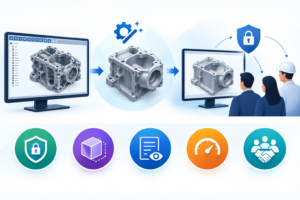
In SOLIDWORKS PDM, cold storage is an automated archiving feature that transfers outdated or dormant file versions to a backup storage destination. Cold storage is clever archiving that protects crucial technical information.
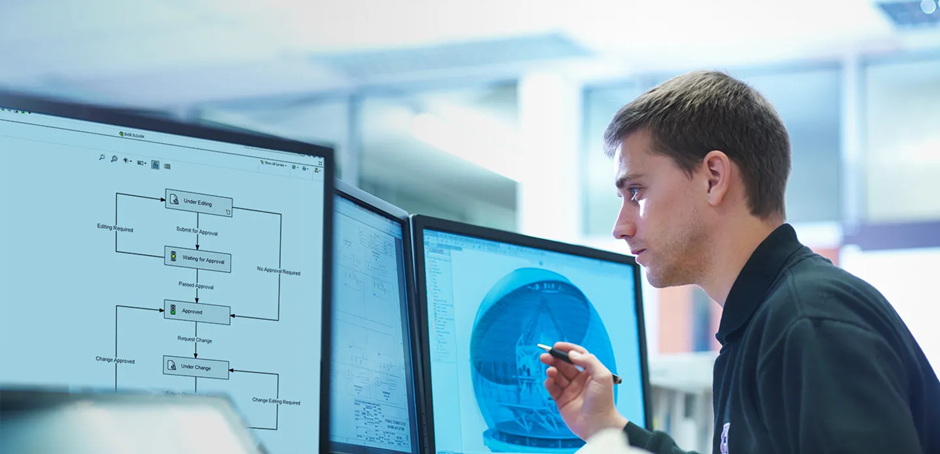
Configuring PDM Cold Storage Schema
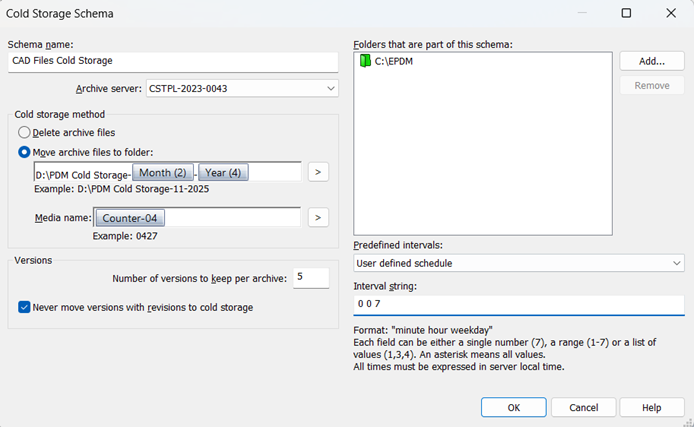
Here’s how it functions:
- Establish Cold Storage Guidelines
- The administrator sets up policies according to:
- File age (e.g., older than six months)
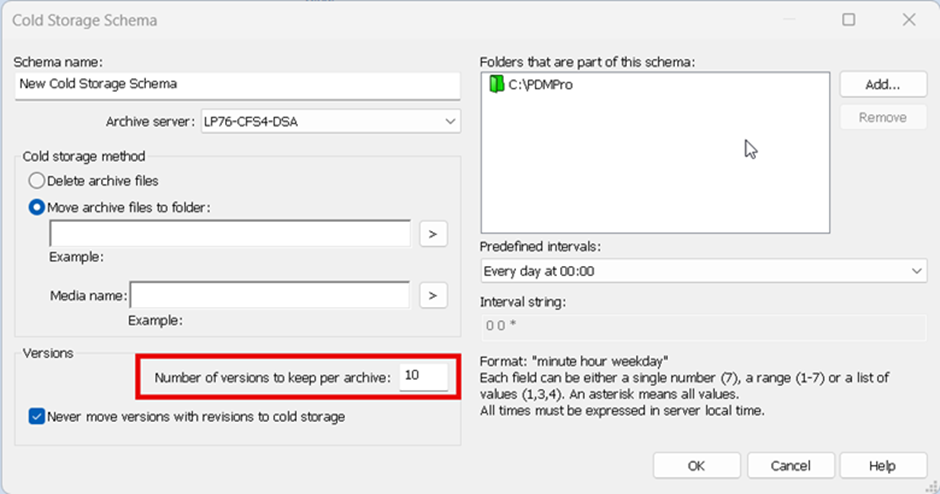
- The quantity of versions to be stored locally
- Workflow status (such as files that have been released)
- Certain file types or folders
- Automated Archiving of Versions
- Older versions—not the most recent ones—are automatically moved by PDM to a cold storage archive (external drive, NAS, cloud storage, etc.).
- The primary PDM Archive Server always has the most recent version.
- Smooth for Users
- The version history appears to be unchanged.
- PDM takes care of determining whether the version is in cold storage automatically, so users don’t need to know.
- Restoration on Demand
- PDM can restore an earlier version from the cold storage archive if a user requires it.
- The administrator can decide whether users can restore or just request it.
Key Benefits of PDM Cold Storage
- Lower the Cost of Storage
- Quicker Recovery & Backups
- Boost the Performance of the Vault
- Assist Big Teams & Prolonged Projects
- Preserve Compliance at Reduced Expense
Conclusion:
By transferring outdated versions to inexpensive storage without sacrificing design history, SOLIDWORKS PDM Cold Storage lowers storage costs and improves vault performance. For IT and engineering teams, it offers quicker backups, a more seamless user experience and efficient data management.