

In today’s world of advanced wireless communication, designing an antenna that operates exactly at its intended frequency can be challenging. This is mainly due to the antenna parameters such as length, width or thickness that are not perfectly optimized for the specific frequency. Even a small variation in these parameters can affect the antenna performance. This mismatch can cause the antenna to resonate at a different frequency or exhibit degradation in performance. Manually adjusting these parameters to a specific frequency will be time -consuming and inefficient. To overcome this, CST Studio Suite offers a built-in optimizer tool that uses an appropriate algorithm to automatically tweak antenna design parameters to achieve the specific performance goals.
In this blog, we will consider a rectangular patch antenna and optimize its return loss for the desired operating frequency.
Example:
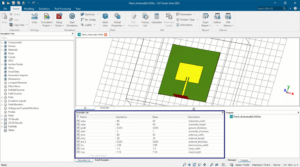
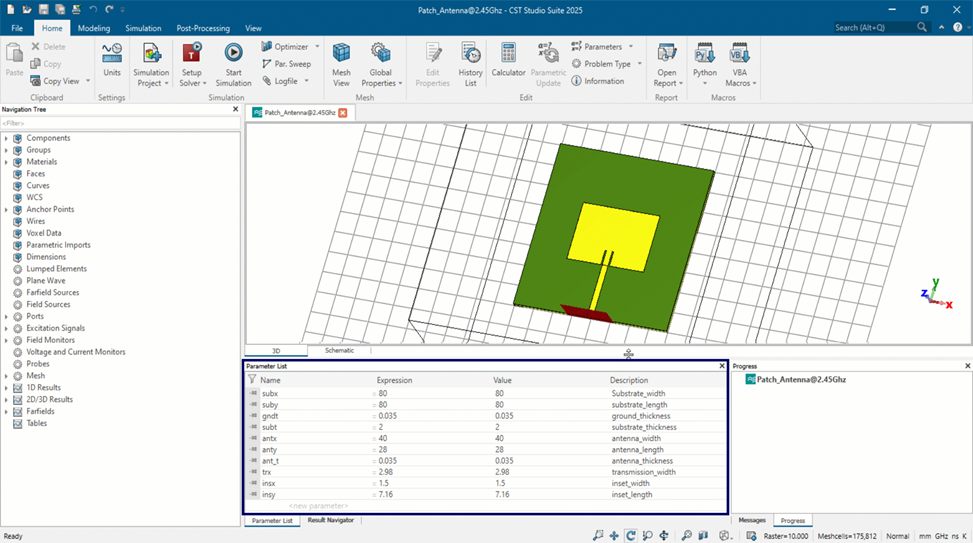
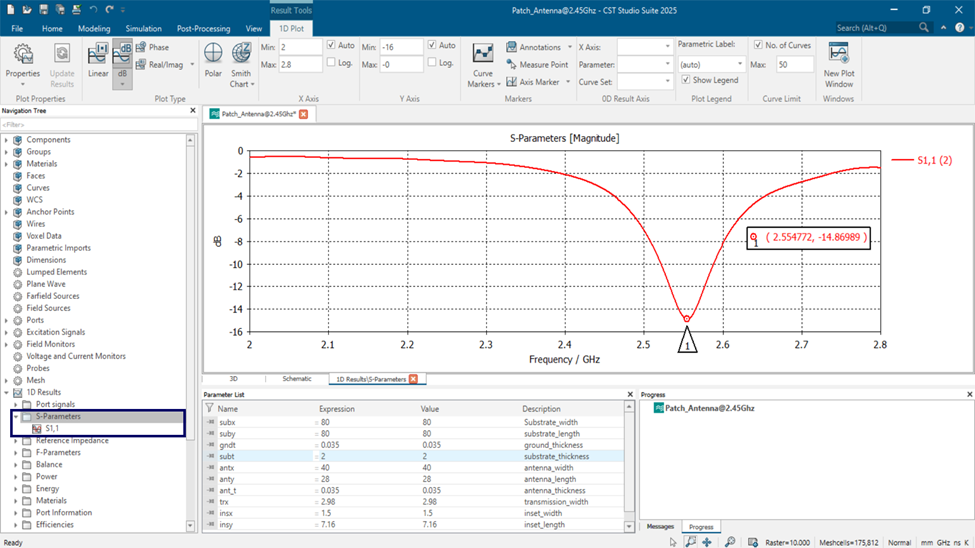
- Consider a rectangular patch antenna with respective design parameters as shown in Fig. 1. By defining them as variables under the parameters list in CST Studio Suite, we can select the required antenna parameters during the optimization process. This allows the optimizer to modify the selected dimensions automatically to achieve the desired performance.
- The desired operating frequency is 2.45 GHz, but initially it operates at 2.55 GHz as shown in Fig. 2. With the help of CST Studio Suite – Optimizer, we can automatically tune these parameters to shift the resonance to the desired operating frequency which helps to reduce time and improve efficiency.
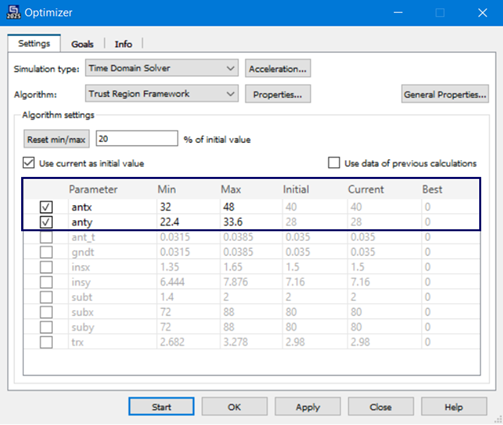
- To achieve this, it is necessary to specify the simulation type in the optimizer settings which determines the electromagnetic response of the structure. Additionally, an appropriate algorithm must be selected based on the characteristics of the problem. Then the solver evaluates and updates the selected design parameters as shown in Fig. 3a, to improve the antenna performance in accordance with the pre-defined goals.
- To define the optimization goals, select the result parameter (e.g., S-Parameters) followed by the result type to be optimized, in this case Magnitude (dB). Then provide the goal conditions, whether the magnitude should be below or above a certain target. And specify the frequency range over which this condition should apply, allowing for improved return loss around the desired resonance frequency.
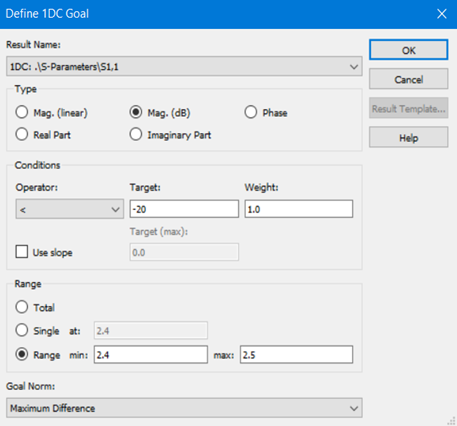
Fig 3: CST Studio Suite Optimizer setup
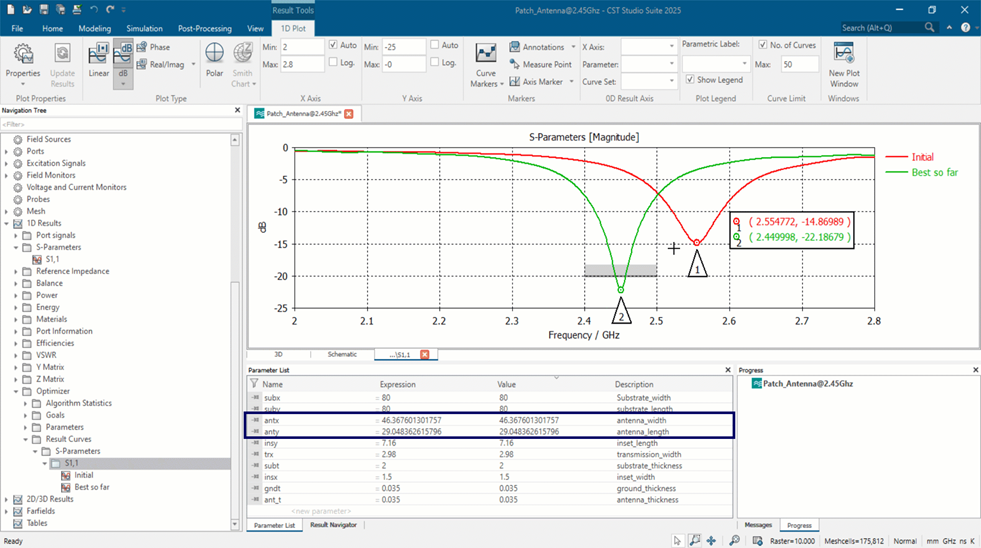
- Once the optimization process is complete, red curve represents the initial simulation result and the green curve shows the best result obtained after the optimization run. The updated values of the selected design parameters are displayed in the parameters list, which reflects the changes made by the optimizer to achieve the desired performance.
“CST Studio Suite – Optimizer helps us to automatically tweak antenna design parameters to meet the specific performance goals. It uses an algorithm-based technique to reduce the manual effort while making the design process more convenient.”
Author Details:

Technical Support Associate – CST Studio Suite (Electromagnetic Simulation)
“As a Technical Support Associate for CST Studio Suite – Electromagnetic Simulation, Likith R focuses on providing technical support and training to customers. He assists in troubleshooting software-related issues, optimizing simulation workflows, and enabling customers to achieve accurate results through a simulation-driven approach, to reduce their product development time.”