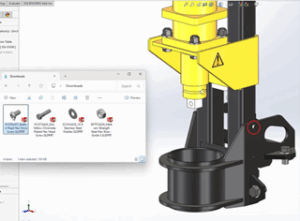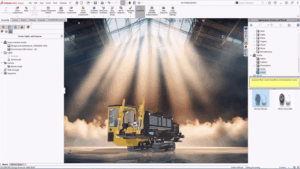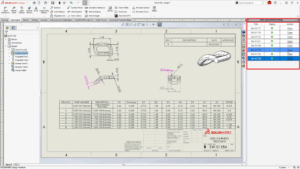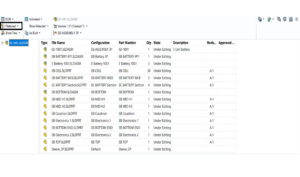


Balloons are used in the drawing documents for the easy identification of the parts/components of an Assembly. Usually, in SOLIDWORKS, the Balloon numbers represent the item numbers of the parts displayed in the BOM (Bill of Materials) of the assembly. To view the Balloons in the drawing document, the BOM need not be generated, and by default, SOLIDWORKS maintains the same order of the items as that present in the assembly BOM, as shown in the pictures below and are inter-linked.

To insert the balloons for an assembly in SOLIDWORKS, navigate as follows:
Insert -> Annotations -> Balloons
Below is the property manager for manual ballooning with several options

The Balloons in the SOLIDWORKS drawings can be added both manually as well as automatically. In the manual mode, the user must select the Balloon option from the command manager. After doing the necessary settings (as shown in the previous page), the balloons are placed near the component positions. By using the magnetic lines, the balloons can be placed in a proper order like the automatic mode of Ballooning.

In automatic mode, the placement of the balloons is automatically done by selecting the layout pattern type such as: Top, Bottom, Left, Right, Square and Circular.

Want to learn more about SOLIDWORKS Balloons in Drawings –
Customizing the Balloons
Balloons are not only used for displaying the item numbers for the parts, but can also be customized in different ways to suit the needs in the drawings as given below:
1) Use of different shapes for the Balloons:

2) Displaying the Different properties in the Balloons:

3) Stack-up of the balloons of the parts

Ballooning Best Practices
- Avoid cluttering and improve the readability of the balloons in the drawing by proper placing the balloons using the magnetic lines.
- As far as possible, use the Automatic mode as the balloons are placed evenly and saving time and maintaining the consistency with the BOM.
- It is a good practice to save the ballooning settings as a ‘Style’, which can be used as a template and can be shared with others. By doing so, the uniformity of the balloons in the different drawings will be established.
- For automatic updating of the balloon numbers in reference to the BOM, it is important that, the balloon numbers should not be manually changed.
- Always create a layer for the Balloons so that the hide and show, colour changes, etc. of the balloons are easy to control.
Conclusion
- Balloons are important entities used for displaying the different properties of the parts, such as Item numbers, Quantity, Text, Custom properties, Quantity, File name, etc., in assembly drawings.
- The details inside the balloons are directly linked with the Bill of Materials (BOM) of the Assembly, and hence any changes in the BOM are reflected in the Balloons.
- The use of balloons in drawings can be helpful in identifying and assembling the manufactured parts.
- Balloons can be easily customised w.r.t shapes, properties, quantity, etc., as per the drawing requirements.
- Balloons can be stacked up to display the different parts of the subassemblies.
- Following the best practices, maximum advantage can be derived using balloons.
About Author:

Pradeep G V is a Product Specialist in SOLIDWORKS and allied solutions at Conceptia Software Technologies, Bangalore. A key member of the technical support team for the past three years, Pradeep brings over a decade of experience spanning both academia and industry. His deep expertise and practical insights make him a valuable resource for customers and engineering professionals alike.